How to create a simple monthly budget for beginners starts with knowing your income and spending. This guide makes it easy for anyone new to money planning.A good monthly budget helps control spending, save for goals, and reduce stress. Beginners often feel lost with bills and expenses, but these steps change that. This article shows clear ways to build your financial plan and stick to it.
Key Highlights
- List your take-home pay to know what you have each month.
- Track expenses for one month to see real spending habits.
- Split money into needs, wants, savings, and debt.
- Use a budget template to make it simple and fast.
- Check weekly and adjust to stay on track.
- Build savings goals like an emergency fund first.
How to Create a Simple Monthly Budget Step by Step
Start your monthly budget on paper or a free app. No fancy tools needed at first. Focus on net income – that’s money after taxes.
Step 1: Find Your Monthly Income
Take-home pay is key. Add up salary, side jobs, or freelance cash. For example, if you earn $3,000 after taxes, that’s your start point.
Write it down. Use pay stubs or bank apps. Hourly workers average last three months for a true monthly income number.
Fixed income stays same each month. Variable pay, like tips, use low-end guess to be safe.
Step 2: Track Your Expenses Now
Track expenses for 30 days before budgeting. Jot every coffee, gas, or grocery spend. Apps like free trackers make this easy.
See patterns in spending habits. Most people find leaks like eating out too much. Group into fixed expenses like rent and variable costs like fun money.
| Expense Type | Examples | % of Income Tip |
|---|---|---|
| Fixed | Rent, car payment, insurance | 50% max |
| Variable | Groceries, gas, eating out | 30% |
| Savings | Emergency fund, goals | 20% |
| Debt | Loans, credit cards | Pay extra |
This table shows a simple split. Adjust for your life.
Step 3: Set Your Budget Categories
Use the 50/30/20 rule: 50% needs, 30% wants, 20% savings. Needs are rent, food, bills. Wants are movies or hobbies.
List all. Example budget for $3,000 income:
- Rent: $900 (30%)
- Groceries: $450 (15%)
- Gas/Transport: $150 (5%)
- Utilities: $200 (7%)
- Phone/Internet: $100 (3%)
- Savings: $600 (20%)
- Fun/Entertainment: $300 (10%)
- Debt Payoff: $200 (7%)
- Misc: $100 (3%)
Total matches income. Cut variable costs if over.
Bold key rule: Spend less than you earn.
Step 4: Pick a Budget Template
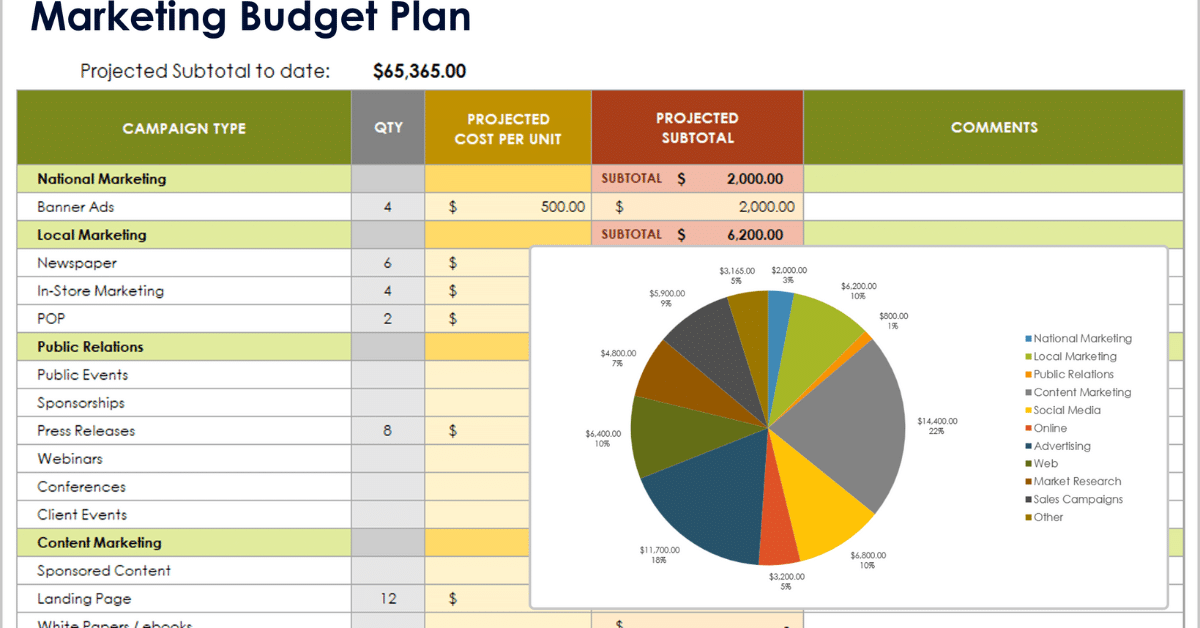
A budget template saves time. Free ones online have sheets for income, expenses, totals. Print or use Google Sheets.
Customize it. Add your savings goals like vacation or new phone. Track monthly income vs actual spend.
Example weekly check: Sunday night, log spends. If groceries hit $400 early, skip takeout.
Common Budget Mistakes to Avoid
Beginners trip on these. Don’t guess expenses – track real data. Many skip small buys that add up.
Overspend on wants first. Pay needs and savings before fun. Ignore “sale” traps if not planned.
Forget irregular costs. Car repair or gifts come yearly. Save monthly: $50 for holidays.
No buffer. Life happens. Keep 5% flex money.
Tools to Make Budgeting Easier
Apps automate tracking. Link bank, see charts of spending habits. Free ones work great for beginners.
AI budget tools help predict spends. Set alerts for overspending.
For quick change, try Transform Your Spending Habits in One Easy Week. Real tips inside.
Sample Monthly Budget for Beginners
Here’s a full example for single person, $4,000 take-home:
| Category | Budgeted | Actual | Difference |
|---|---|---|---|
| Income | $4,000 | $4,000 | $0 |
| Rent | $1,200 | $1,200 | $0 |
| Groceries | $500 | $480 | +$20 |
| Utilities | $250 | $260 | -$10 |
| Transport | $300 | $280 | +$20 |
| Savings | $800 | $800 | $0 |
| Debt | $400 | $400 | $0 |
| Wants | $550 | $580 | -$30 |
Adjust as you go. Green means ahead.
How to Stick to Your Budget Long Term
Review monthly. Celebrate wins like full savings. Tweak for raises or cuts.
Build habits: Auto-save to bank. Pay bills same day pay hits.
Share with partner for home budgets. Kids learn too.
Face setbacks calm. One bad week? Restart next.
Learn from others: Groups cut dining out 50%. Small changes build wealth.
Savings goals grow fast. $200 month in 5 years? Over $12,000 with interest.
Why Budgeting Fits AI Tools World
On sites like ours, AI tools now handle budgets. Prompts create plans in seconds. But basics stay human: Know your numbers.
Best AI apps for money tracking link here for next level.
See basics at Consumer.gov budget basics. Trusted steps.
Conclusion
Your financial plan starts today. Track, split, review – simple wins. Feel control over money soon.
Monthly budget frees stress, funds dreams. Start small, grow steady.
Frequently Asked Questions
What is a simple monthly budget?
A simple monthly budget tracks your take-home pay against fixed expenses, variable costs, and savings goals. It helps beginners control spending and build a financial plan without complex math.
How do I start my first budget?
List your monthly income after taxes. Track expenses for 30 days using a notebook or app. Split into 50% needs, 30% wants, 20% savings using the 50/30/20 rule
What are fixed vs variable expenses?
Fixed expenses stay same monthly like rent or loans. Variable costs change like groceries or gas – these need close watching to avoid overspending.
Disclaimer: This article is for informational purposes only and is not financial advice. Always consider your personal financial situation before making budgeting decisions.